Welcome to CSUB!
To get started, you will need to activate your account in MyID and create a password. This process only takes a few minutes. After setting your password, you will be able to access your CSUB account and the services available to you.
1. Go to the MyID login page
Open a web browser and go to myid.csub.edu.
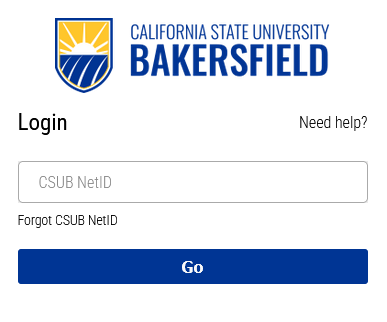
2. Enter your NetID
On the login screen, enter your NetID and click Go. If you do not know your NetID, select Forgot CSUB NetID.
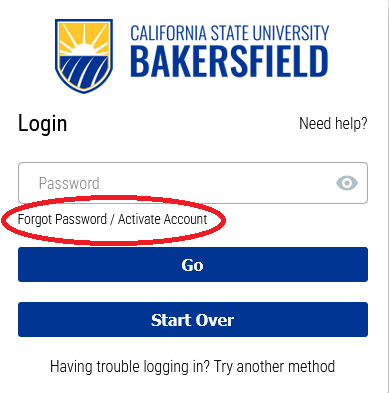
3. Start the account activation process
On the password screen, select Forgot Password / Activate Account.
4. Check your personal email
Check your personal email account for a message from MyID. The email will contain
an authorization code.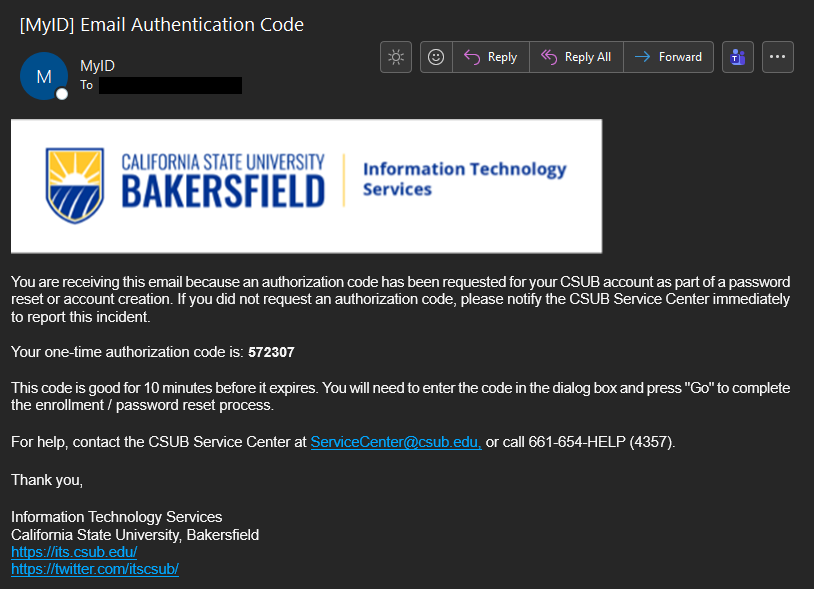
5. Enter the authorization code
Enter the authorization code exactly as it appears in the email, then click Go.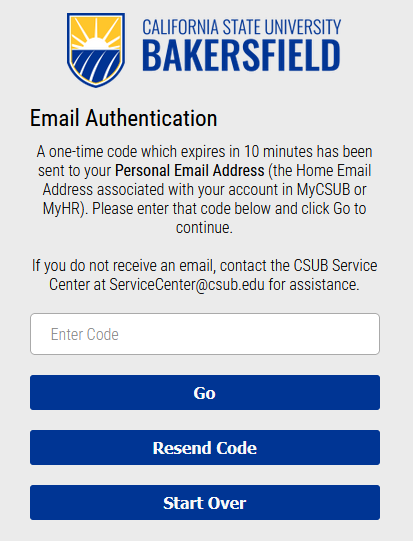
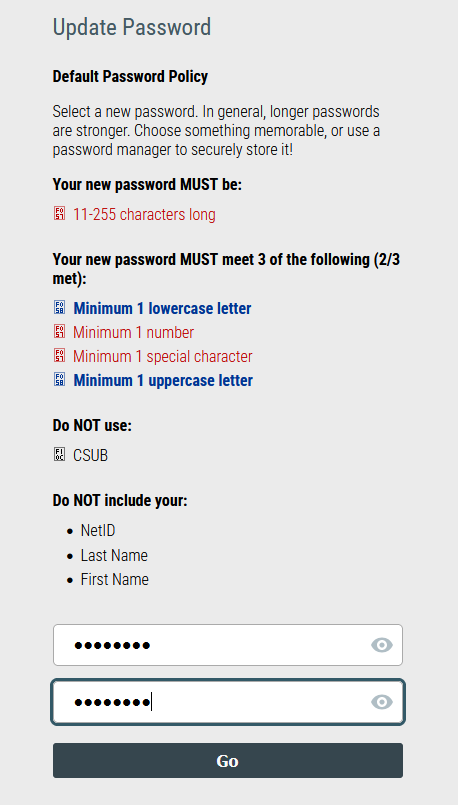
6. Create your password
Create and confirm your new password. Your password must be between 11 and 255 characters long and meet 3 of the 4 complexity requirements. As you type, the requirements will change from red to blue when they are met. If your passwords do not match, select the eye icon to view what you entered.
7. Finish
Click Go to return to the MyID page. Your password has been set. You may now leave MyID and use your new password to sign in to CSUB websites and applications.
Still need help activating or signing into your CSUB account?
Call the CSUB Service Center at 661-654-4357 for additional assistance.